Skip to content

DoevStream

Your streaming, your way.

A modern media center for Android TV, Google TV, phones and tablets. Browse movies and shows with details and artwork from TMDB, add the Stremio-compatible add-ons you choose, and pick up where you left off on any screen.

DoevStream is a player: it hosts no content. Streams come only from add-ons you install yourself.

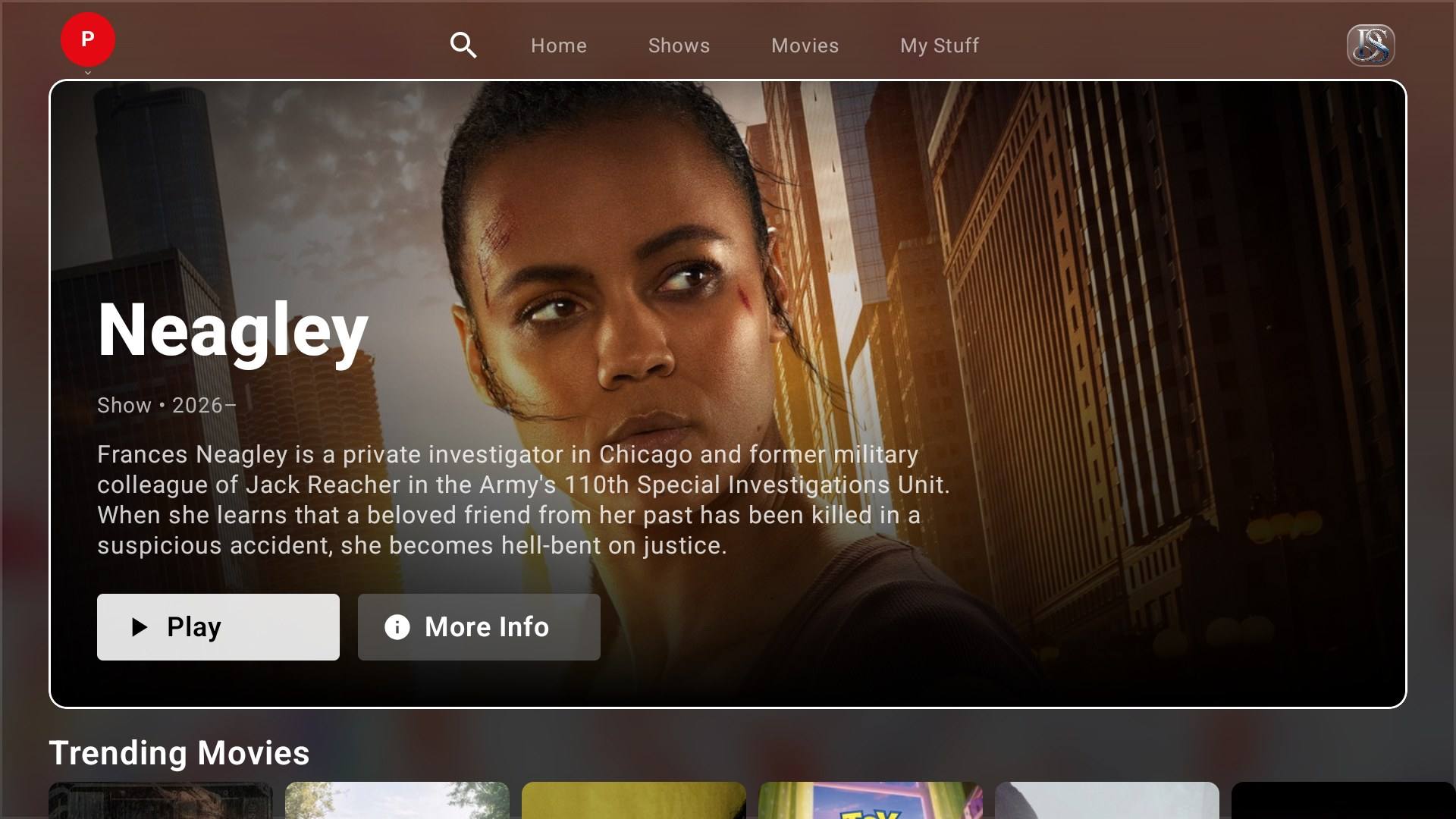
DoevStream home screen on Google TV with a featured show, Play and More Info buttons

How it works

Three steps. No subscription, no ads.

  1. Install the app

    Get DoevStream for your TV, phone or tablet. Movies and shows are ready to browse right away, with details and artwork from TMDB.

  2. Add your add-ons

    Install the Stremio-compatible add-ons you choose. They supply the streams and any extra catalogs, such as Live TV. DoevStream itself hosts no content.

  3. Sign in and watch

    Sign in with your email, or scan a QR code on your TV with your phone. Profiles, Continue Watching and My List follow you to every screen.

Built for the living room

A few of the things that make DoevStream feel like home.

Made for every screen

Designed for the remote first, with dedicated apps for phones and tablets.

Profiles & Kids

Up to 5 profiles per account, including Kids profiles protected by a PIN.

Synced everywhere

Continue Watching, My List and settings follow you across devices.

Trakt sync

Connect Trakt to scrobble and sync your watchlist, history and progress.

Available on

Android TV and Google TV, Android phones and tablets. More platforms later.

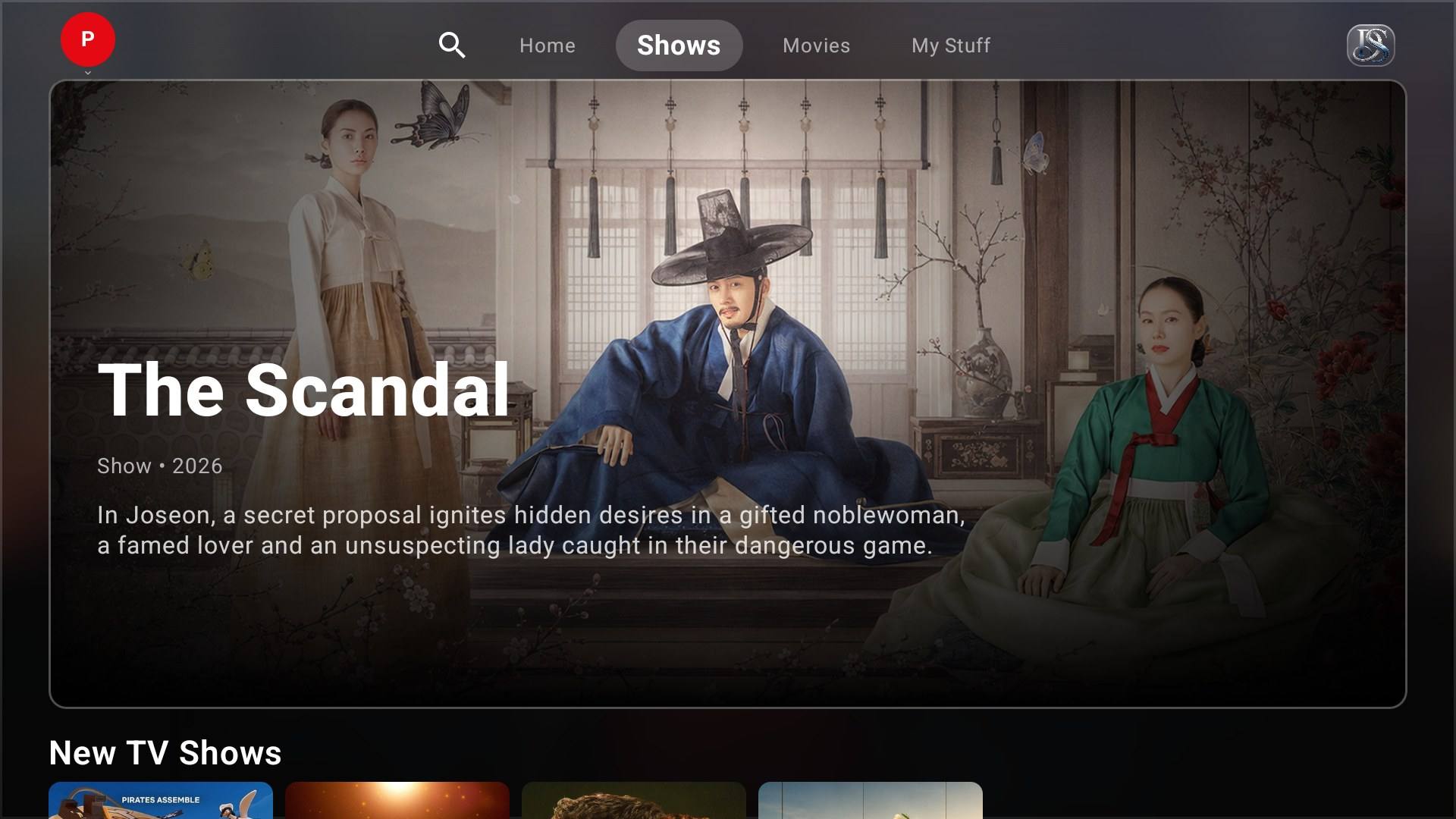
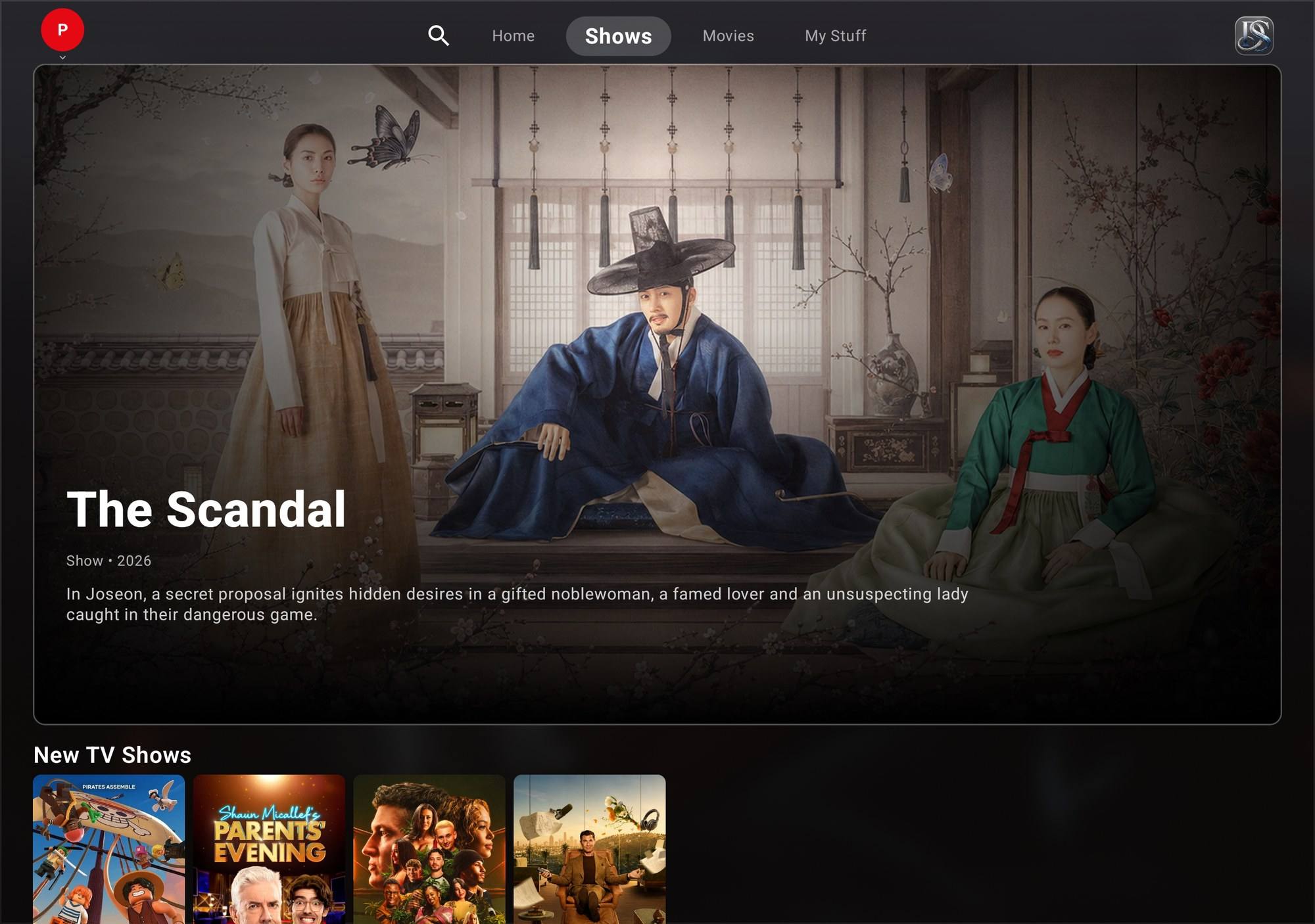
DoevStream Shows tab on Android TV

Android TV & Google TV

Designed for the remote and the big screen.

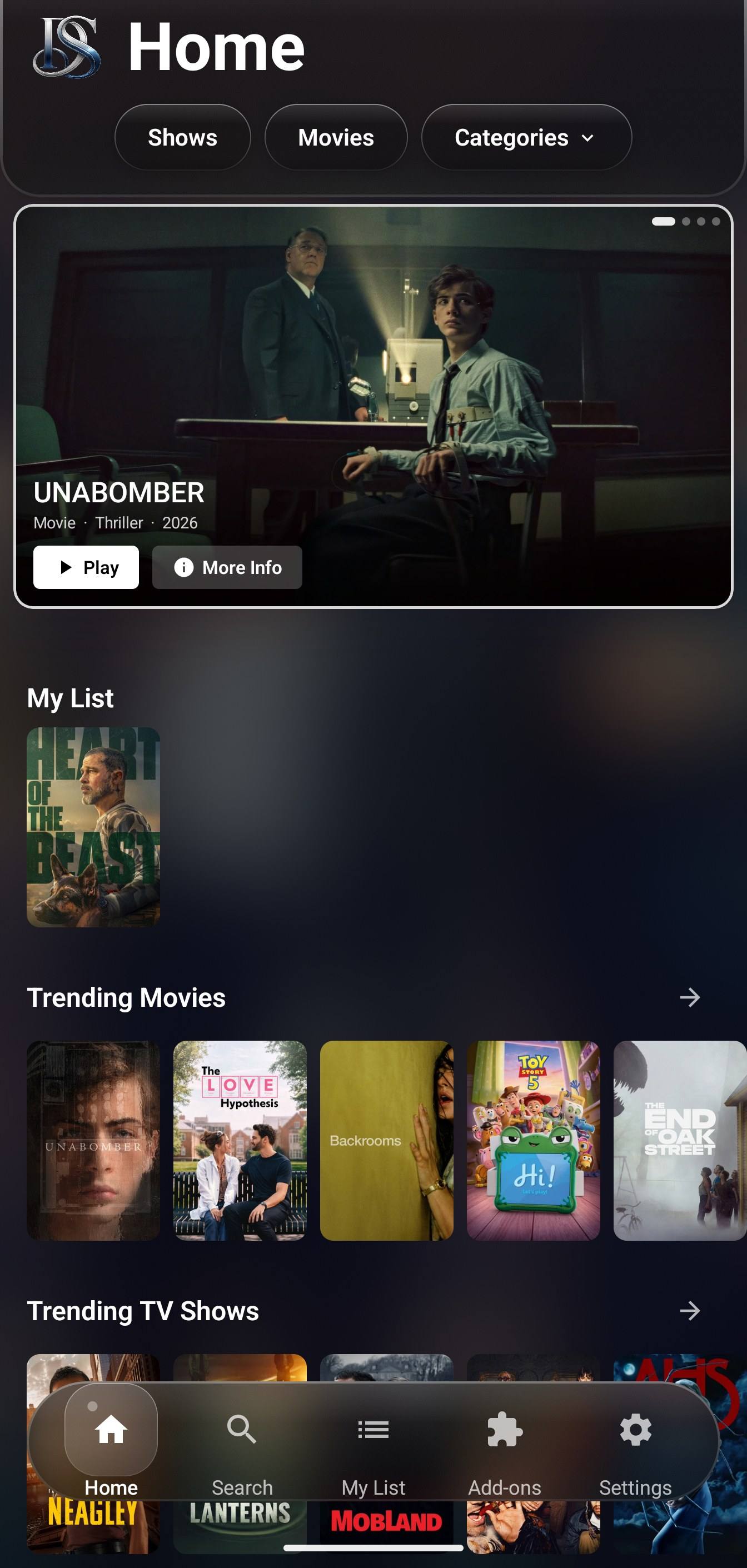
DoevStream home screen on an Android phone

Android phone

Your media center in your pocket.

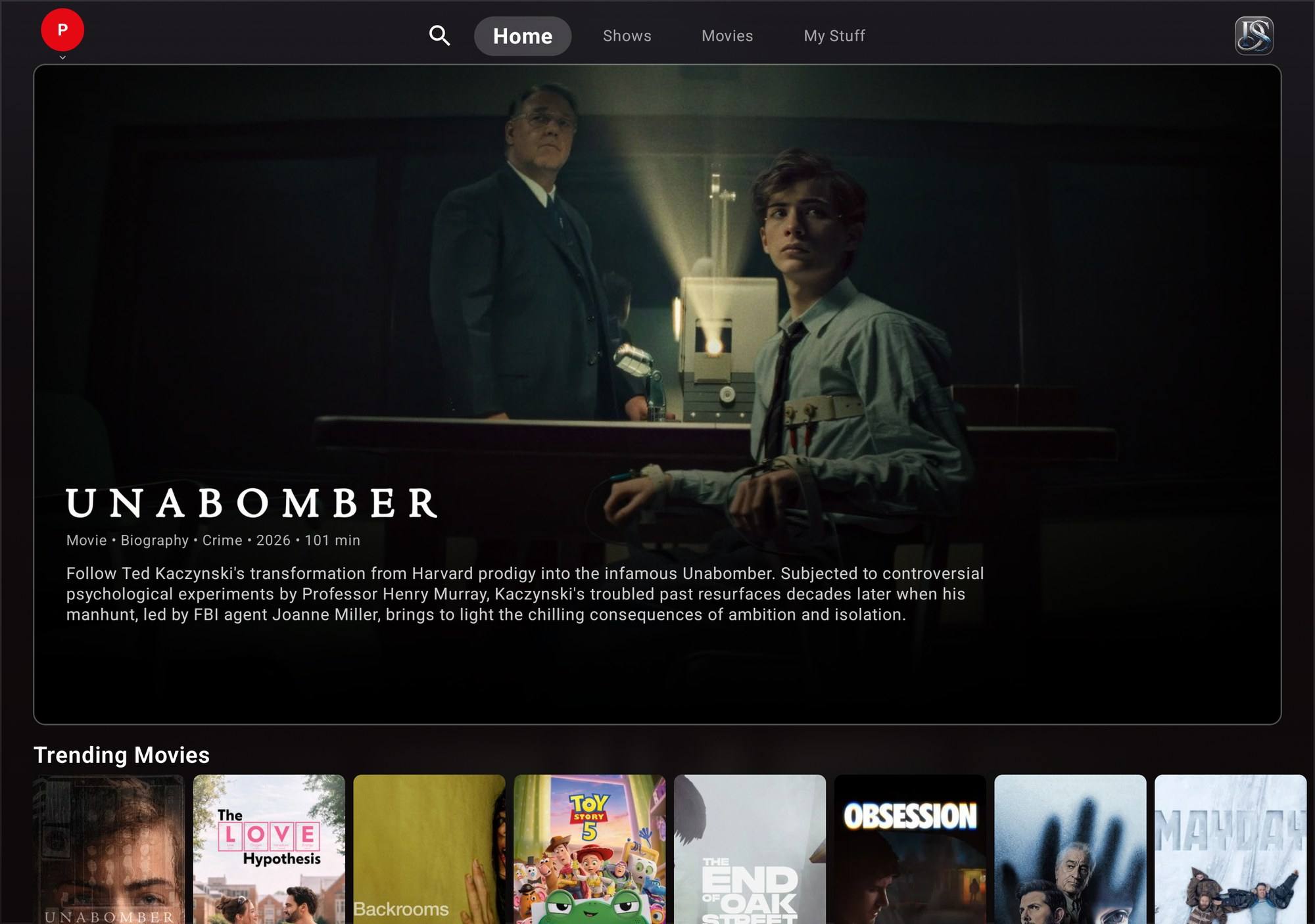
DoevStream home screen on an Android tablet

Android tablet

The big-screen layout, made for touch.

Features

A media center that puts you in control: movie and TV details from TMDB, streams from the add-ons you choose, no subscription — on TV, phone and tablet.

Everything in one place

Movies & shows, beautifully organized

Movies and shows are ready out of the box, with posters, descriptions, ratings and cast from TMDB. Add Stremio-compatible add-ons for streams and extra catalogs — Live TV appears once you install a Live TV add-on.

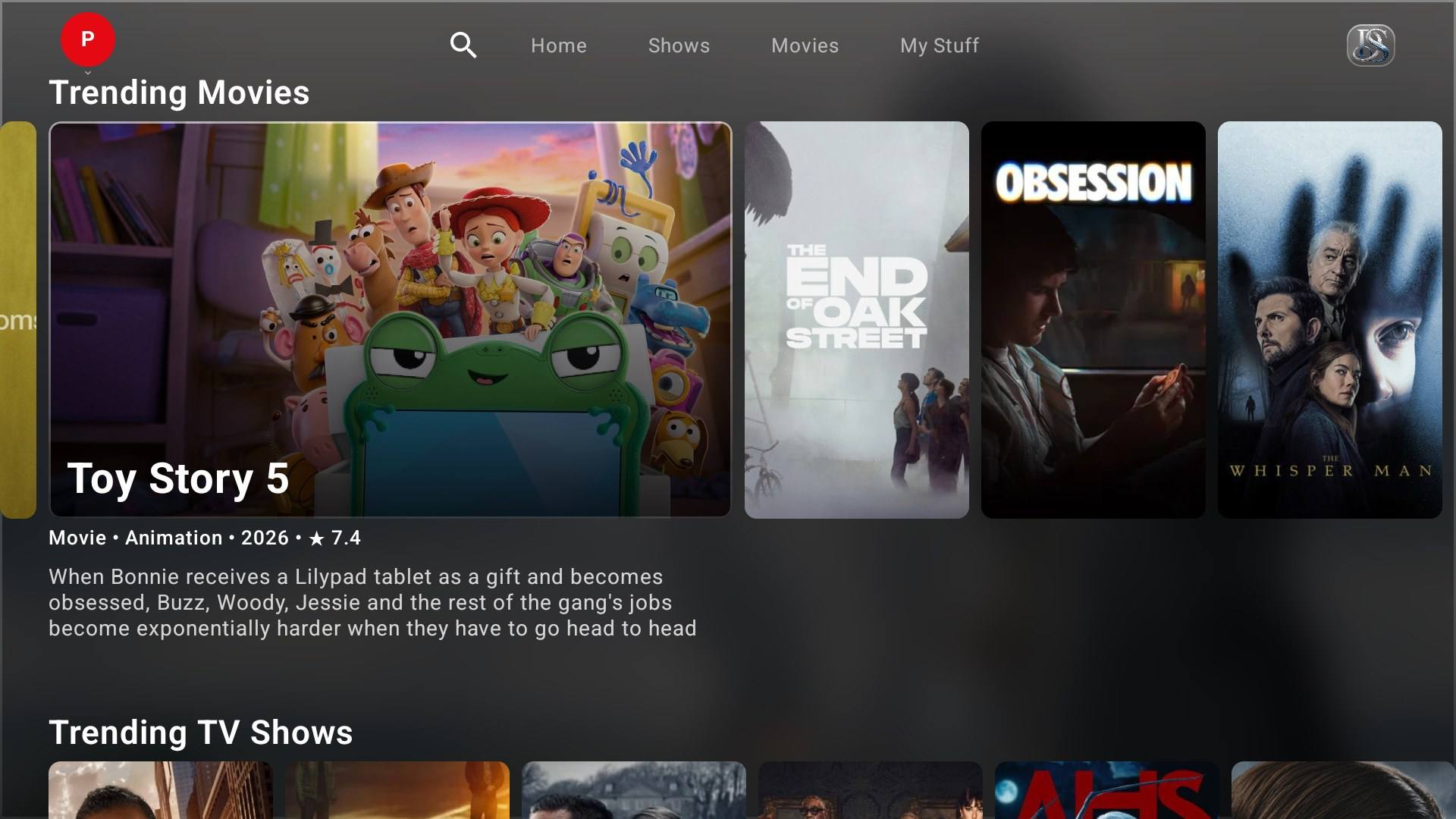
Trending Movies row on DoevStream for Android TV, with title details

Continue Watching, My List & Up Next

Pick up exactly where you left off. Your progress, My List and settings are saved to your account and sync across your TV, phone and tablet.

DoevStream home on a phone with My List and trending rows

Up to 5 profiles

Everyone in the house gets their own profile, with their own history, list, language and settings.

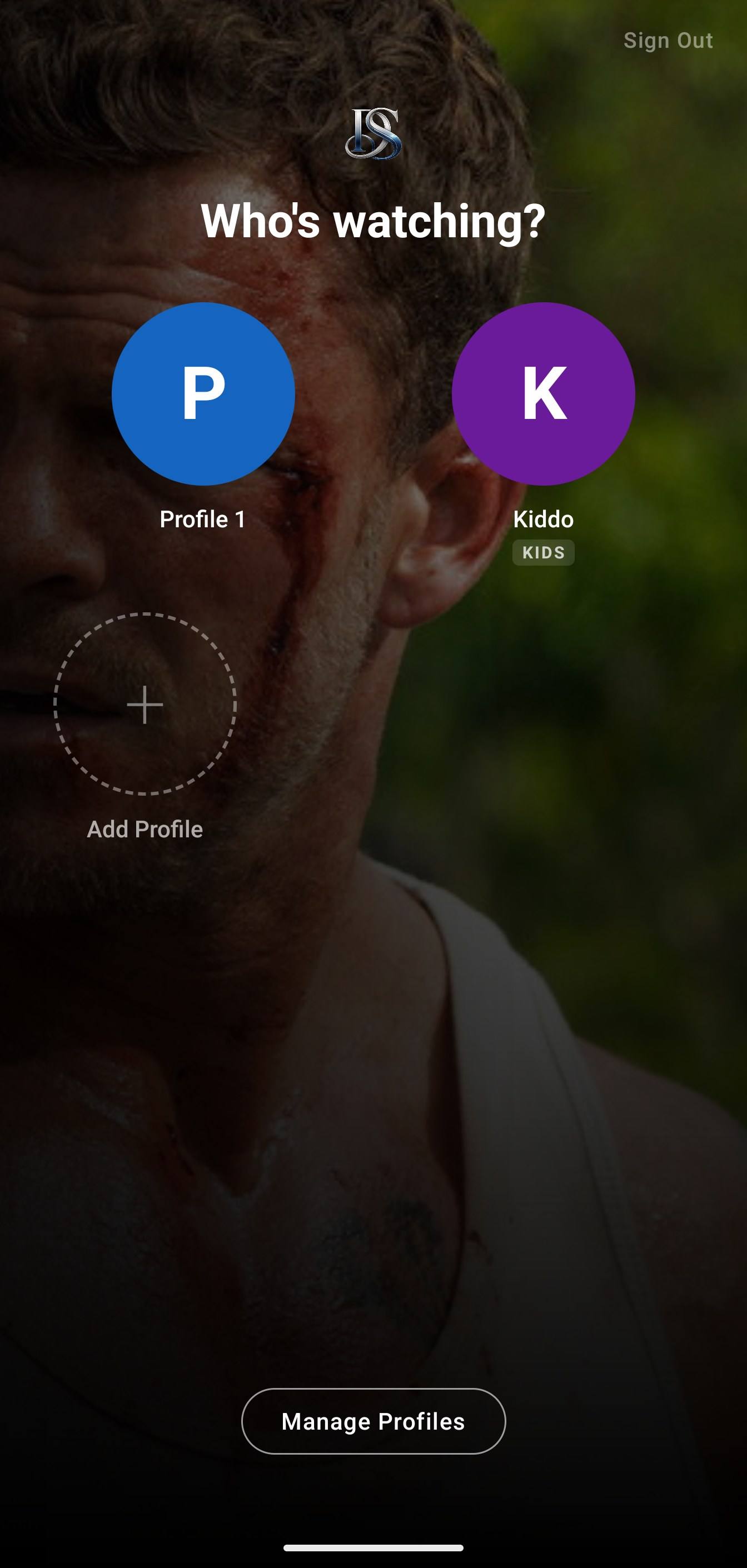
Profile chooser on a phone showing a regular profile and a Kids profile

Kids profiles with a PIN

Set an age from 3 to 12 and a Kids profile shows titles rated for that age, using ratings from TMDB. A PIN stops kids from switching to other profiles. It's a helpful filter, not a guarantee, so keep an eye on what they watch.

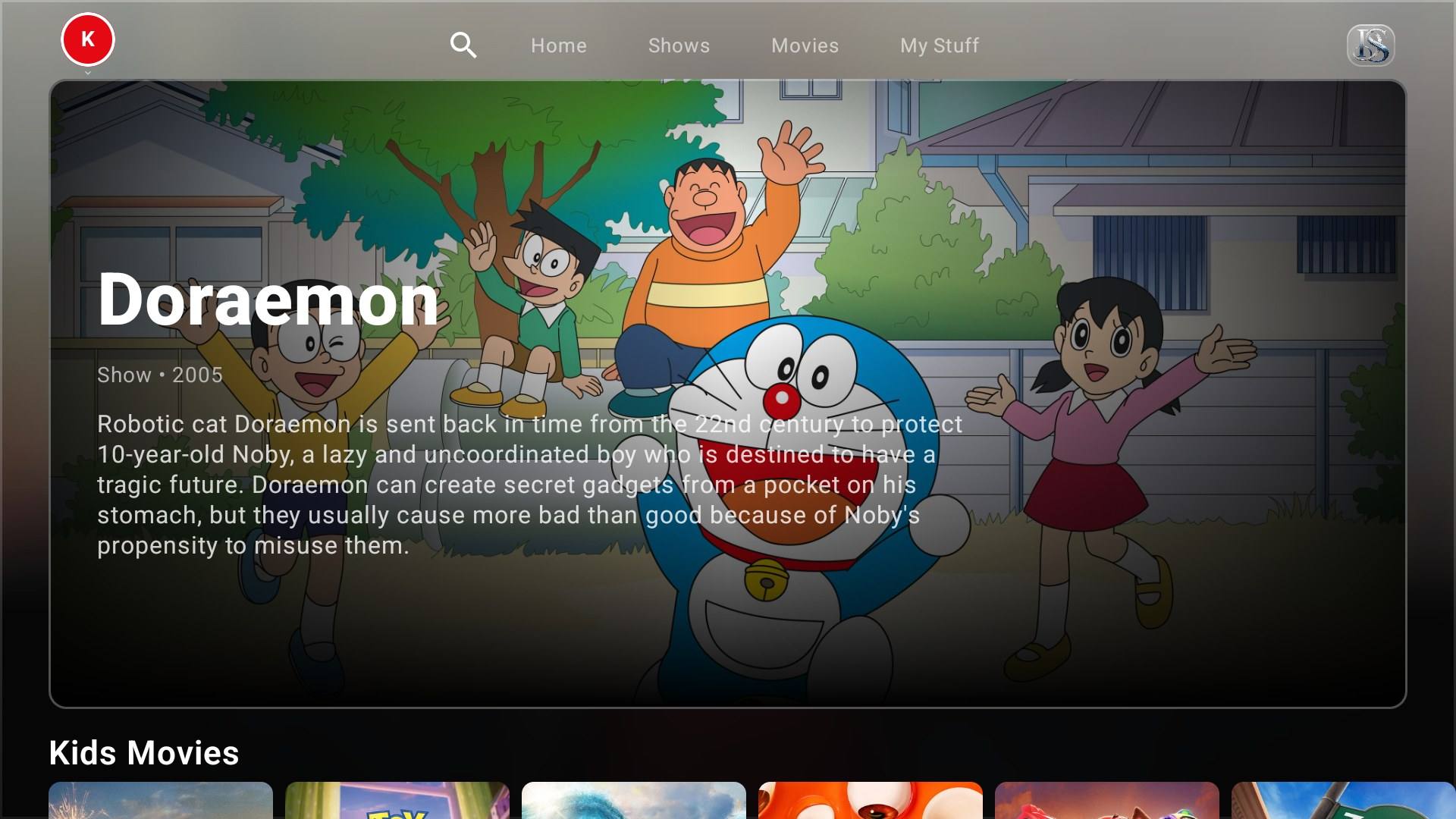
Kids profile home on Android TV with family titles
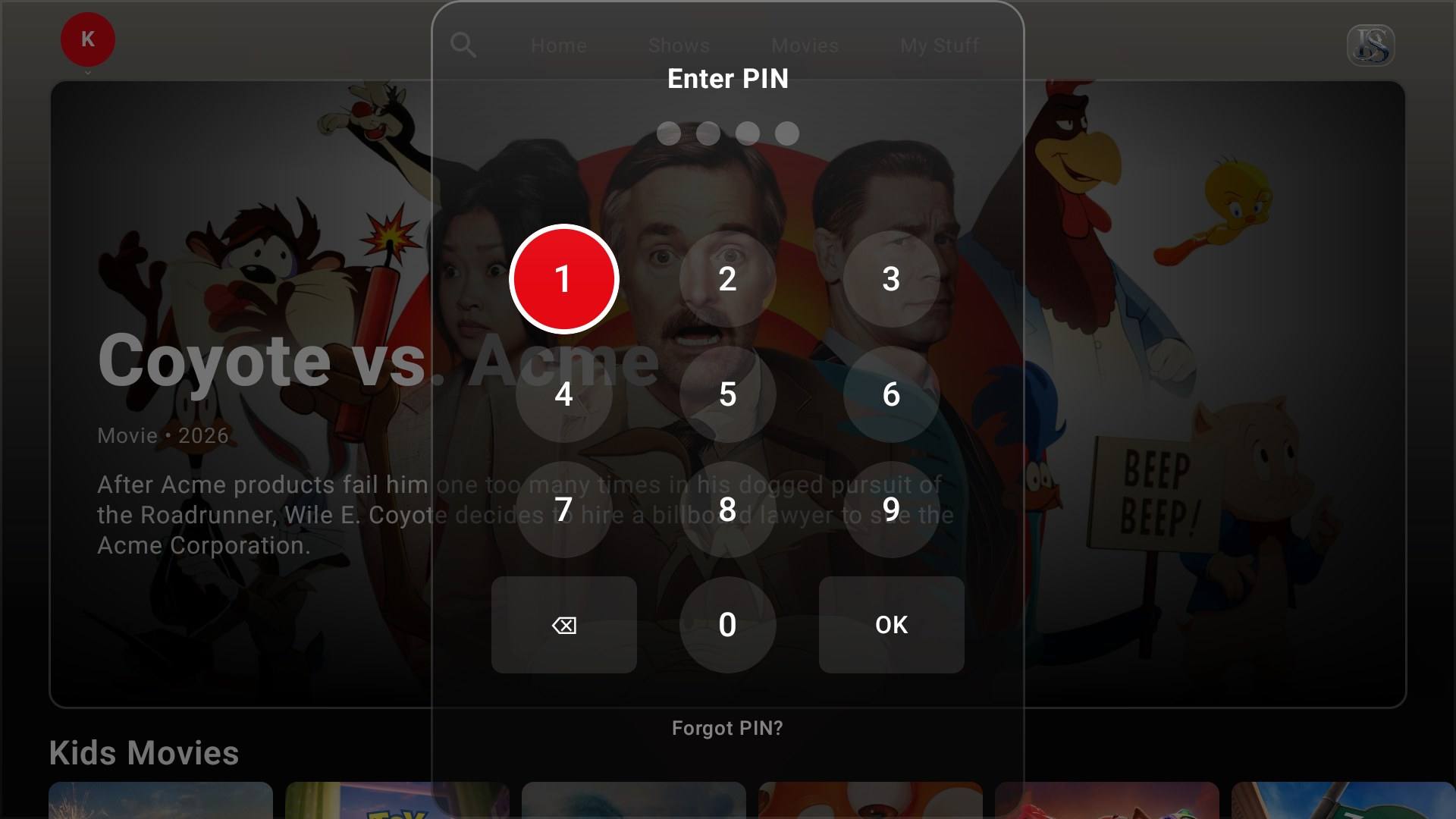
PIN pad shown when leaving a Kids profile

Trakt sync

Connect Trakt to any profile: scrobbling, watchlist, history and progress stay in sync. Optional, and you can disconnect at any time.

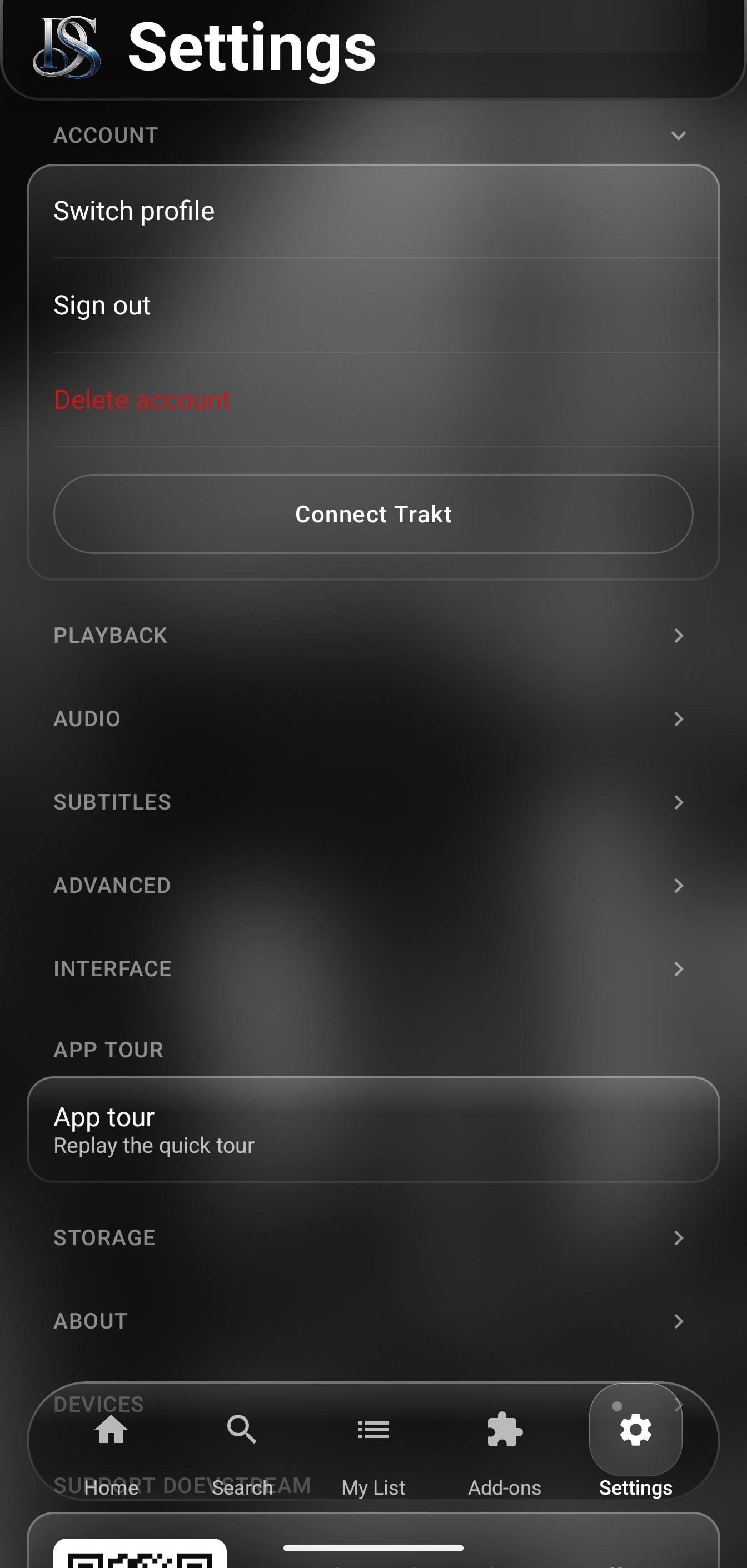
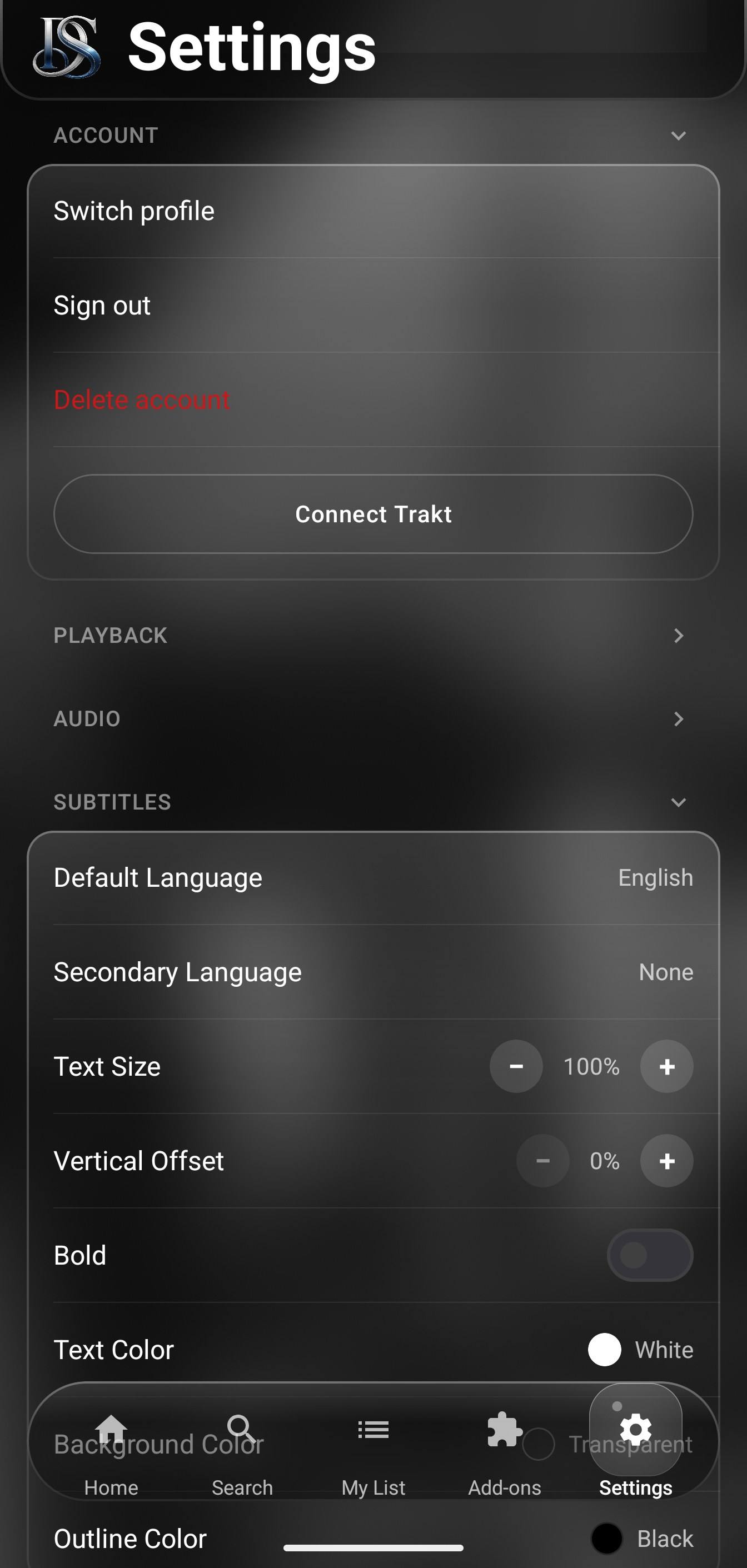
Phone settings with Connect Trakt, profile and account options

Easy, secure sign-in

On a TV or tablet, scan the QR code with your signed-in phone — no typing with the remote. New accounts and password resets are confirmed with a 6-digit code sent to your email.

QR sign-in

On TV and tablet

6-digit email code

For new accounts and password resets

Made for every screen

DoevStream is designed for the TV remote first: clear focus, big artwork and layouts that work from the couch. Phones and tablets get their own apps, not a stretched copy.

DoevStream Shows tab on an Android tablet
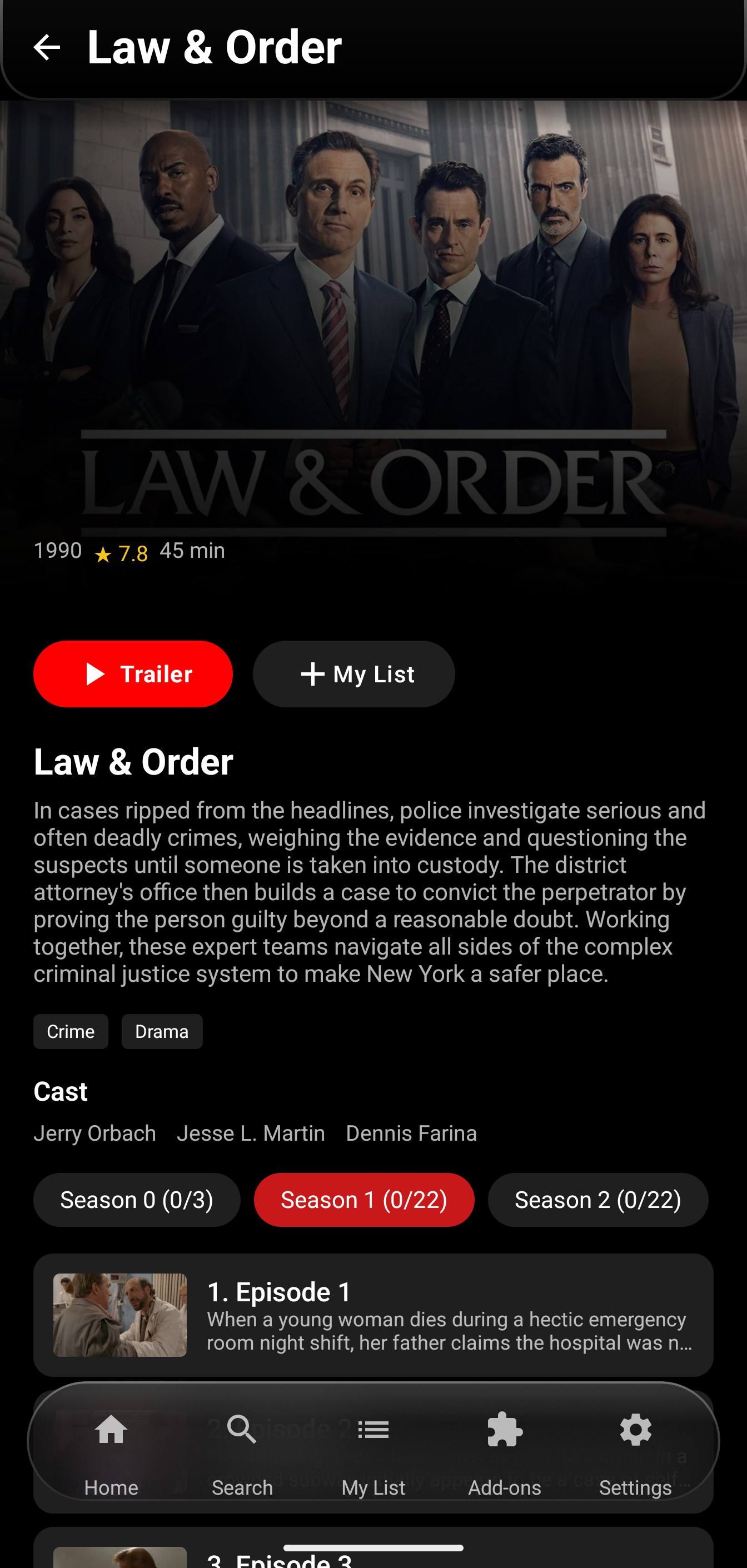
Show details on an Android phone

Built-in player, fully loaded

4K HDR playback

The built-in player plays up to 4K HDR (source-dependent), with frame-rate matching for smooth, judder-free video, hardware and software decoding, and extended audio support including DTS and TrueHD.

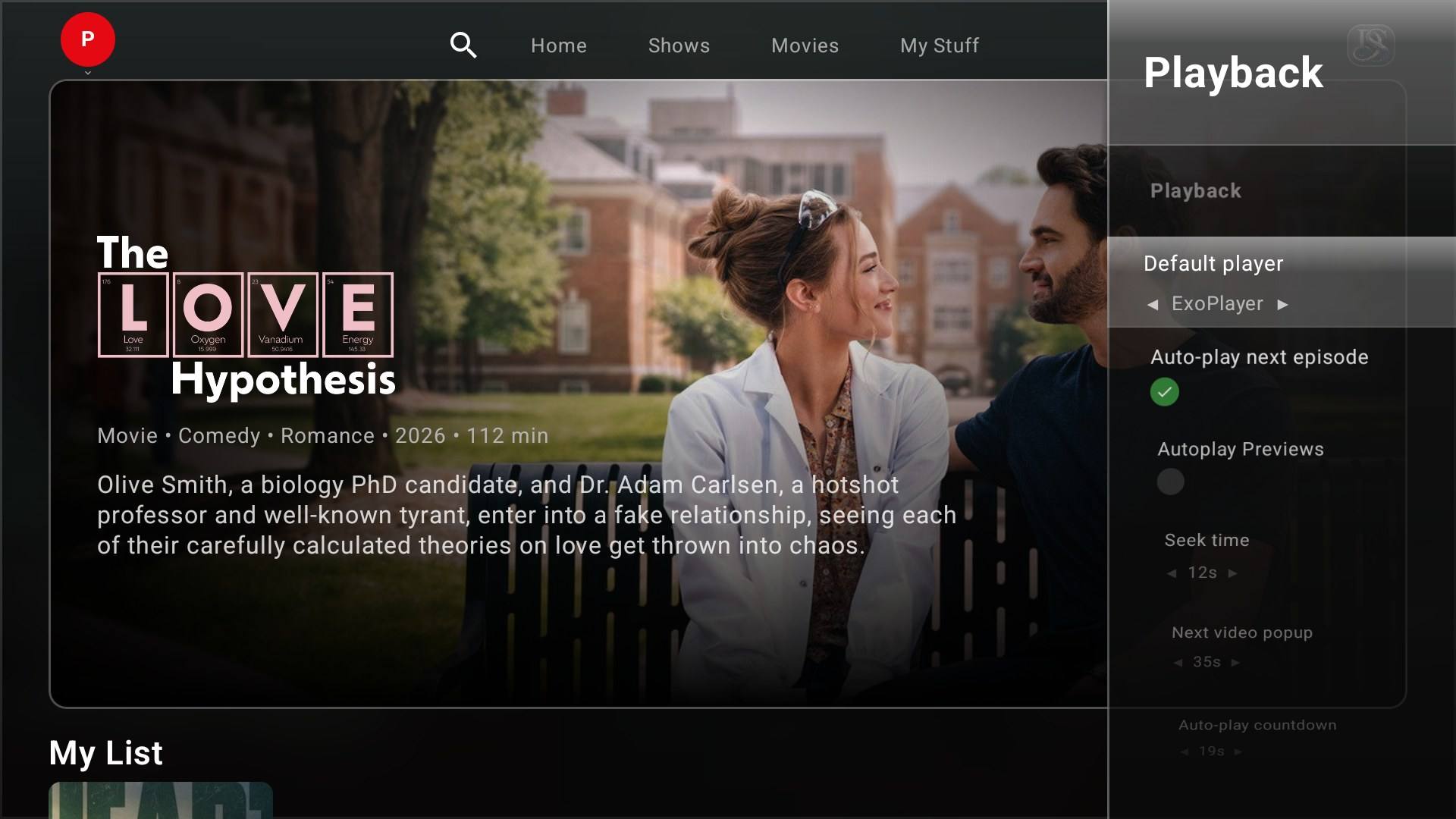
Playback settings on Android TV: default player, auto-play next episode and previews

Subtitle styling & audio preferences

Style subtitles your way — size, color, position and outline — and set your preferred audio and subtitle languages once.

Hand off to an external player

Prefer VLC, MX Player or mpv? Choose an external player whenever you like.

Subtitle settings on a phone: language, text size, offset, color and outline

Private by design

No ads, no tracking, no analytics SDKs. The app doesn't ask for your microphone, camera, contacts or location, and we keep only what's needed to sync your account.

  • No ads or ad tracking
  • No analytics or crash-reporting SDKs
  • No microphone, camera or contacts access
  • No location tracking

Available in 15 languages

Including full right-to-left support for Arabic.

  • English
  • العربيةRTL
  • 中文
  • Nederlands
  • Français
  • Deutsch
  • हिन्दी
  • Italiano
  • 日本語
  • 한국어
  • Polski
  • Português
  • Русский
  • Español
  • Türkçe

Ready to try it?

DoevStream is free and ad-free for Android TV, Google TV, phones and tablets.

Go to Downloads

Downloads

Free, no ads, no subscriptions. Pick your device.

Downloads open soon. The buttons switch on when the first release is published.

DoevStream on Android TV: trending movies row with an expanded title card

Android TV & Google TV

Requires Android TV / Google TV 8.0 or later

Version
1.0.0
Size
38.4 MB
SHA-256
a4ef4e6e63609ef835fd239521c2b8e0704903437117e73b5070905e572a9316
Download APKGoogle PlayComing soon
How to install
  1. On the TV, open a browser or download app and go to doevstream.com/downloads — or copy the APK to a USB drive.
  2. Open the file. If the TV asks, allow that app to install unknown apps.
  3. Install, open DoevStream and scan the QR code with your phone to sign in.
DoevStream on an Android phone: show details with trailer, My List and episodes

Android phone

Requires Android 8.0 or later

Version
1.0.0
Size
44.5 MB
SHA-256
b09b89038223ca5e1aa6bfffff858201f782d5d20347f07408aaab2911dd1f65
Download APKGoogle PlayComing soon
How to install
  1. Tap Download APK on your phone.
  2. Open the file. If Android asks, allow your browser to install apps.
  3. Tap Install, open DoevStream and sign in or create an account.
DoevStream on an Android tablet: Shows tab with a featured title

Android tablet

Requires Android 8.0 or later

Version
1.0.0
Size
38.4 MB
SHA-256
4014bdb4992cdf7845af4695bbd2e424966296e43aa51ac0f485bbd84eba01c0
Download APKGoogle PlayComing soon
How to install
  1. Tap Download APK on your tablet.
  2. Open the file. If Android asks, allow your browser to install apps.
  3. Tap Install, then sign in with your email or scan the QR code with your phone.

Check the file

Compare the file's SHA-256 checksum with the one shown on its card. Windows: certutil -hashfile DoevStream.apk SHA256 · macOS / Linux: shasum -a 256 DoevStream.apk

After installing, add the Stremio-compatible add-ons you choose to get streams. DoevStream hosts no content; add-ons are installed by users.

More platforms later. Stay tuned.